Rate My Clip
Rocket League clip posting, rating, and Discord integration.
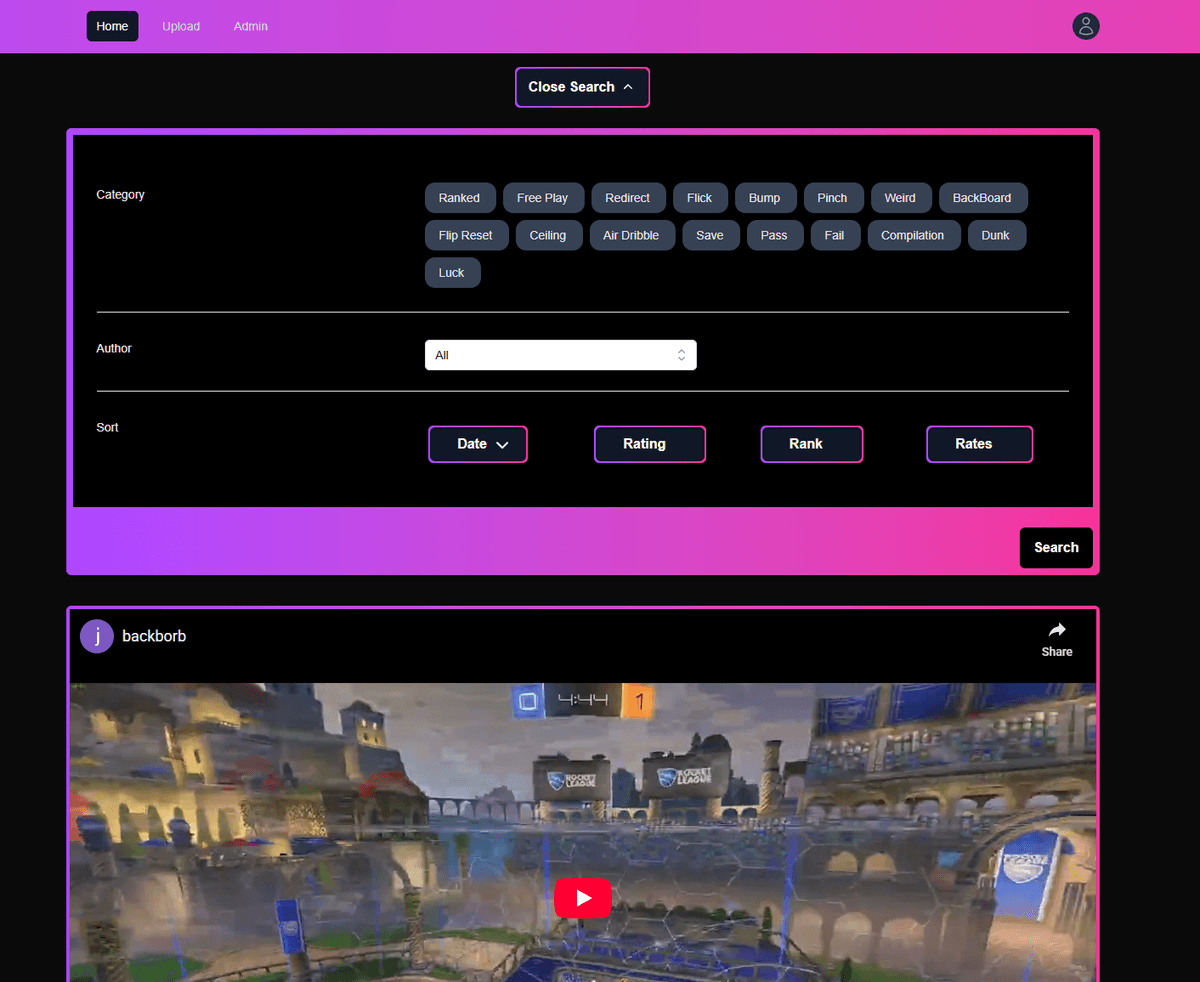
A website where Rocket League players upload clips from YouTube, tag them with categories and a rank, and let other players rate them out of 5 stars. There is a Discord bot that posts every new clip into a Discord server and replies under that post whenever someone rates the clip.
Built With
Vibes usage
Zero AI usage across this entire website.
Goals
The core objectives driving this projects development and design
Allow users to upload clips by pasting a YouTube URL. The site fetches the thumbnail from the YouTube Data API.
Allow users to rate clips out of 5 stars and leave a comment.
Tie every clip and profile to a Rocket League rank, from Bronze I to Supersonic Legend, with the option for an admin to override a clip's rank.
Hook the site up to Discord so a server can follow new uploads and ratings without anyone having to visit the website.
How a clip moves through the site
From signing in to getting rated, here is what happens when someone uploads a clip.
- 🔐01
Sign in with Discord
Auth.js v5 handles the OAuth flow. If it is a new user, the signIn callback creates the user and profile in Postgres.
- 📋02
Paste a YouTube URL
The form validates and cleans the URL, then fetches the thumbnail from the YouTube Data API.
- 🏷️03
Pick categories, rank, and teammates
The user selects one or more categories, optionally overrides the rank, and credits up to two featured teammates.
- 🤖04
Bot posts to Discord
After the clip is saved, the bot posts it to a Discord server and stores the message ID on the clip.
- ⭐05
Other users rate the clip
A server action writes a 1 to 5 star rating with an optional comment.
- 🧮06
Rating recalculates and bot replies
The aggregate rating is recalculated, and the bot threads a reply under the original Discord post.
Key Features
Upload clips from YouTube with a title and tags
Rate clips out of 5 stars and leave a comment
Discord login through OAuth
Discord bot that posts clips and replies with ratings
22 Rocket League rank badges
Categories like Flip Reset, Air Dribble, Backboard, Redirect
Credit up to two featured teammates on a clip
Per-user stats: total clips, average rating, top categories
Admin panel for moderation and edits
Categories
Every clip can have one or more categories. They are a many-to-many in Postgres, so a clip can be both a flip reset and a backboard read.
Ranks
Rocket League has 22 ranks, from Bronze I to Supersonic Legend. Every profile and clip is tied to one. An admin can override a clip's rank if needed.






















Challenges & Solutions
Challenge: Relational Database
For the website to work, I needed a relational data structure. Users had clips, clips had comments and ratings, clips had categories, clips had a rank, and clips could credit teammates.
Solution
I used Prisma ORM with code-first migrations to define the relationships. Categories and featured users are many-to-many. Ratings are one-to-many under both users and clips. The rank is a foreign key on both clips and profiles.
Challenge: Authentication
I wanted users to sign in with Discord so the bot integration would feel natural and so the site would have access to a Discord account from the start.
Solution
I used Auth.js v5 (still in beta at the time) with the Discord provider. The signIn callback checks the database for an existing user with the same email before letting Auth.js create a new row, so signing in and out does not create duplicate users.
Challenge: Discord Integration
I wanted Discord to be more than just a login button. When someone uploads a clip, the bot should post it to a Discord server. When someone rates the clip, the bot should reply under that post.
Solution
I wrote a small Discord bot client as a singleton living next to the Prisma client. It exposes PostClipToDiscord, which runs after a clip is created and stores the resulting message ID on the clip, and ReplyRatingToClipMessage, which runs after a rating is submitted and uses that message ID to thread the reply.
Code Highlights
Discord OAuth
When a user signs in with Discord, this callback checks the database for an existing user with that email. If there is not one, it creates a new user and profile in one transaction.
1async signIn({ user }) {2const existingUser = await getUserByEmailWithProfile(user.email ?? '')3const email = user.email as string4if (!existingUser) {5try {6await prisma.user.create({7data: {8email: email,9isExternal: true,10profile: {11create: {12name: user?.name as string,13photoUrl: user.image ?? '',14},15},16},17})18} catch (e) {19if (e instanceof Prisma.PrismaClientKnownRequestError) {20console.error(e.message)21return false22}23throw e24}25}26return true27},
Knowledge acquired
Key insights and knowledge gained throughout this project
How to use OAuth 2.0 with a third-party provider (Discord) and Auth.js v5.
How to use server components and server actions in Next.js.
How to use Prisma ORM and code-first migrations.
How to integrate with the YouTube Data API.
How to write a small Discord bot that posts messages and replies to threads.
The difference between Prisma's connect and set when updating relations. Connect adds a relation, set replaces all of them. I learned this after accidentally wiping a clip's tags.
Request a Demo
Send me a message if you want a walkthrough of Rate My Clip.